01
Embeddable lead widget
Lightweight form embeddable via a simple HTML snippet. Configurable fields, privacy link, and custom messages; server-side validation, lead storage, and email notification.
leadbox.constructhub.org
Landing pages and lead capture
A self-hosted lead generation platform with an embeddable widget, block-based landings, and a mini CRM to manage, filter, and export contacts.
Stack used to build the product.
How the system is structured: interfaces, backend, infrastructure, and operational flow.
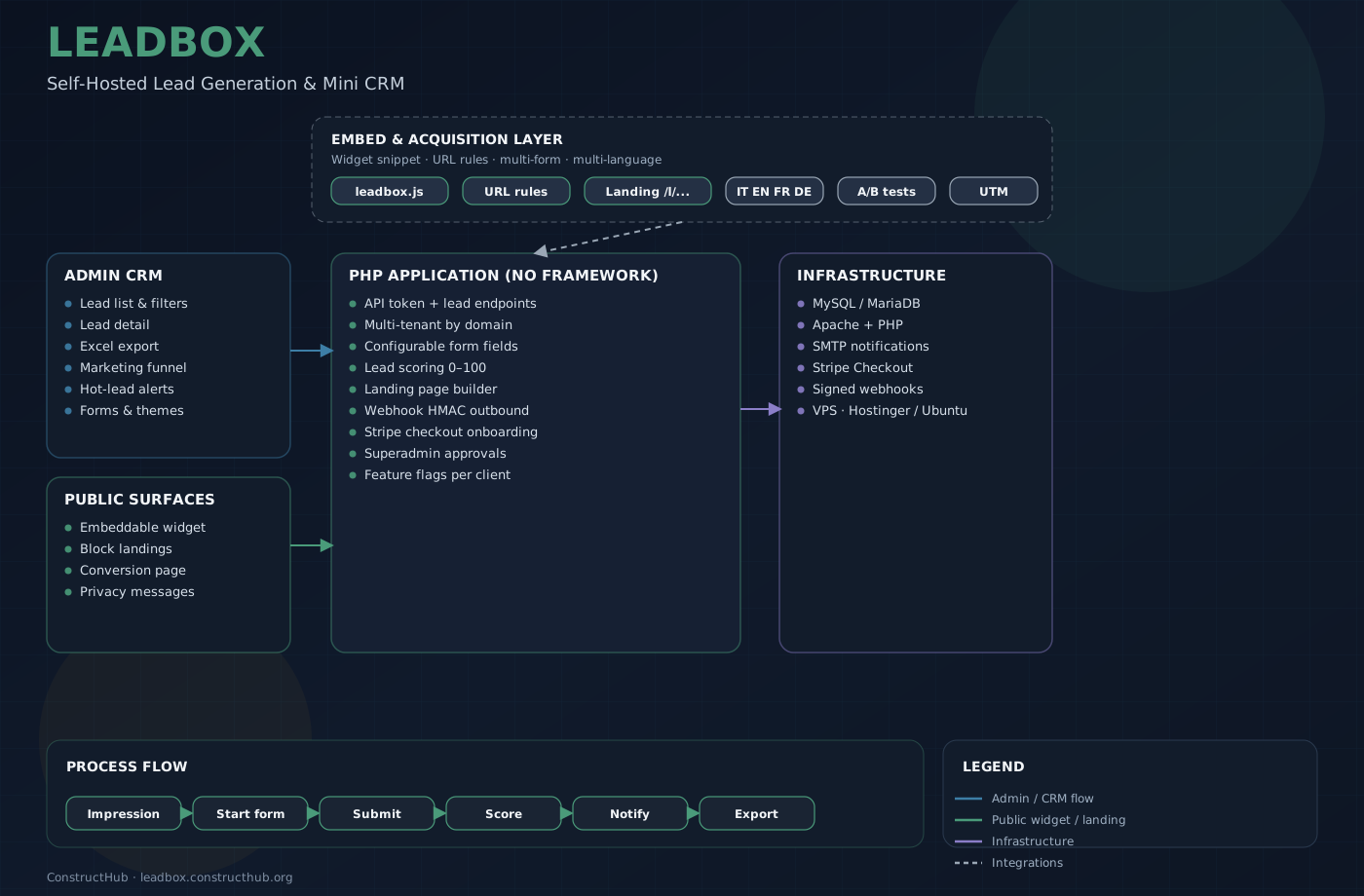
What the product does, in detail.
01
Lightweight form embeddable via a simple HTML snippet. Configurable fields, privacy link, and custom messages; server-side validation, lead storage, and email notification.
02
Multiple forms per site, each with an embed key and dedicated language. URL rules (exact, prefix, contains, regex) resolve which form to show from the visited page.
03
Lead list with filters, sorting, and pagination; detail view; per-domain tenant isolation; Excel export matching active filters.
04
Source tracking (page URL, UTM parameters) and a form-centric funnel (impression → start → submit) with dedicated marketing dashboards.
05
Automatic lead score (0–100) shown in dashboard and exports, with hot-lead notifications when the score exceeds a configurable threshold.
06
Create and publish block-based landings from the admin (editor, live preview, draft/publish), with a public URL linked to a specific form.
07
Form A/B testing with variants, HMAC-signed outbound webhooks to CRMs/automations, and marketing smart alerts, enableable per client.
08
After Stripe checkout the buyer completes account, language, and domain; superadmin approval. Admin UI and widget available in IT, EN, FR, and DE.